
7 Business Continuity Planning Examples
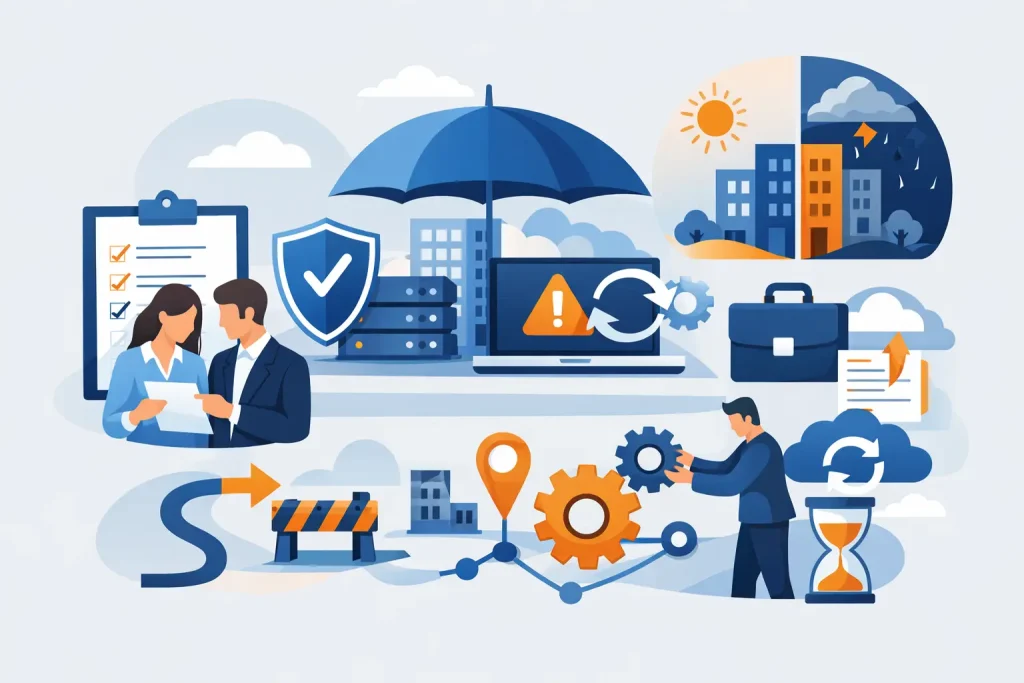
Most businesses do not think seriously about continuity until something stops the phones ringing, locks staff out of files, or brings appointments to a halt. That is why business continuity planning examples matter – they turn a vague intention to “keep going” into something practical your team can actually follow when pressure is high.
For small and mid-sized organisations, continuity planning is rarely about preparing for a Hollywood-style disaster. It is usually about handling the more common problems that cause real disruption: a ransomware attack, a failed internet line, a server outage, a lost laptop, or a key software platform going down. A good plan is not a thick document that sits untouched. It is a working set of priorities, responsibilities and fallback options that help your business keep serving customers.
What good continuity planning looks like
A useful continuity plan starts with one basic question: what absolutely has to stay running? For one business, that may be email, telephony and access to shared files. For another, it may be booking systems, payment terminals or clinical software. The right answer depends on your sector, your size and how much downtime your customers will tolerate.
That is why there is no single model that fits everyone. The best business continuity planning examples are specific to the way a business actually works. They focus on realistic scenarios, clear response steps and practical workarounds. They also accept trade-offs. Keeping every single system available at all times is expensive. Most SMEs need to decide what must be restored first, what can wait, and what temporary fixes are acceptable for a day or two.
1. Cyber attack and ransomware response
This is the example many businesses now start with, and for good reason. A ransomware incident can block access to core systems within minutes. Staff cannot work, customer records may be unavailable, and the pressure to make quick decisions is intense.
A sensible continuity plan for this scenario sets out who isolates affected devices, who contacts the IT provider, how staff are told what to do, and which services need to be restored first. It should also cover backup recovery, alternative communication methods and the threshold for reporting the incident to insurers or regulators.
The key point is that cyber security and continuity planning are closely linked, but they are not the same thing. Prevention matters, but no prevention is perfect. If attackers still get in, the continuity plan is what stops a security incident becoming a full business shutdown.
2. Internet outage across the office
For many firms, internet access is now as critical as electricity. If the connection drops, cloud systems, calls, payments and collaboration tools may all go with it. Yet this is one of the most straightforward continuity risks to plan for.
A practical example might include automatic 4G or 5G failover, the ability for key staff to hotspot securely, and clear instructions for switching phones or laptops to an alternative connection. If your business runs multiple sites, staff may also need a defined process for moving urgent work to another location.
This is where continuity planning becomes very operational. A backup connection is only useful if it has been tested, if the router is configured properly, and if staff know the changeover process. Otherwise, you only discover the gaps when clients are already waiting.
3. Server or cloud platform failure
Some businesses still rely heavily on on-site servers. Others depend almost entirely on Microsoft 365, cloud practice software or hosted line-of-business applications. In both cases, service failure can stop work very quickly.
A good continuity plan for this scenario identifies the systems your team cannot function without and sets restoration priorities. For example, a business might accept delayed access to archived files but not to current client records or live email. It might also define temporary workarounds, such as using local copies of critical templates, paper-based intake forms or an alternative communications platform.
The trade-off here is often cost versus recovery speed. High availability infrastructure reduces risk, but it is not always proportionate for every SME. What matters is knowing the acceptable downtime for each service and putting the right level of resilience behind the most important ones.
4. Power cut at a single site
A local power cut can be disruptive even when your IT estate is largely cloud-based. Desktop PCs shut down, network equipment goes offline, VoIP phones stop working and access control systems may be affected. If you serve customers in person, the impact can be immediate.
One of the more useful business continuity planning examples is a site-level outage plan that combines facilities and IT. That might include battery backup for key network hardware, a process for safely shutting down systems, guidance on diverting calls, and an agreed decision point for moving staff to remote working.
For healthcare and dental environments, this needs extra care. If appointments, imaging, patient records or clinical communications are affected, the continuity plan should account for safe manual processes and clear communication with patients. The aim is not just to keep systems running, but to keep service delivery controlled and safe.
5. Staff unable to access the office
Bad weather, transport disruption, a building issue or an emergency service cordon can all make the office inaccessible without affecting your systems directly. Businesses that assume staff can simply work from home often find out too late that devices are missing, remote access is patchy, or people do not know how to reach shared resources securely.
A better plan starts before the disruption. It makes sure key roles have managed laptops, secure remote access, multi-factor authentication and the right permissions already in place. It also identifies which roles can work remotely with minimal friction and which need a different arrangement.
This example is a reminder that continuity is as much about people as technology. If your systems are available but your team cannot use them effectively, continuity has still failed.
6. Loss of a key device or endpoint
A stolen laptop or failed workstation may sound minor compared with a full outage, but for the person affected it can stop work immediately. If that person handles finance, scheduling, patient data or customer service, one device problem can create wider disruption.
A practical continuity response includes encrypted devices, cloud-based access to files, rapid account lockout, spare hardware availability and a process for getting the user working again quickly. In many cases, the goal is not to recover the original device but to restore the user’s access and productivity on another machine within hours, not days.
This is where managed support makes a noticeable difference. Standard builds, central device management and pre-defined replacement processes reduce downtime because the response is already organised.
7. Telephony and communications failure
When customers cannot reach you, even a short outage can damage confidence. This is especially true for service-led businesses, busy offices and practices managing appointments. If your telephony platform goes down, teams need another route for inbound enquiries and internal coordination.
A continuity plan here may include mobile call forwarding, softphone apps, emergency contact lists stored offline and a clear customer message for temporary disruption. If your team relies heavily on one communications platform, it is worth deciding in advance what the fallback is.
The detail matters. A plan that says “use mobiles” is not enough if no one knows who owns the main numbers, how diverts are activated, or how calls are logged while systems are impaired.
How to use these examples in your own business
The value in these examples is not copying them word for word. It is using them to test where your own business is exposed. Start by identifying your most important services, then ask what would happen if each one became unavailable for an hour, half a day or a full day. That quickly shows you which scenarios deserve the most attention.
From there, keep the plan practical. Define who does what, how people communicate, where critical information is stored, and what temporary processes are acceptable. Test the plan in real terms. If internet access failed at 10am tomorrow, would your team know what to do without waiting for instructions?
This is also where external support can make life easier. An experienced IT partner can help map dependencies, set recovery priorities and put the right failover, backup and remote working measures in place. For businesses without a large in-house IT team, that can be the difference between hoping a plan works and knowing it will.
The best continuity planning is calm, realistic and tailored to how your business actually runs. If your team can keep serving customers when something goes wrong, the plan is doing its job – and that peace of mind is worth having before you need it.
Related Resources
- Cloud Backup for Small Business Explained
- Best Business Backup Solutions
- Business Continuity Planning
Protect your business from downtime and data loss with our
Backup & Disaster Recovery Services.