
Cyber Security for Dental Practices in 2026
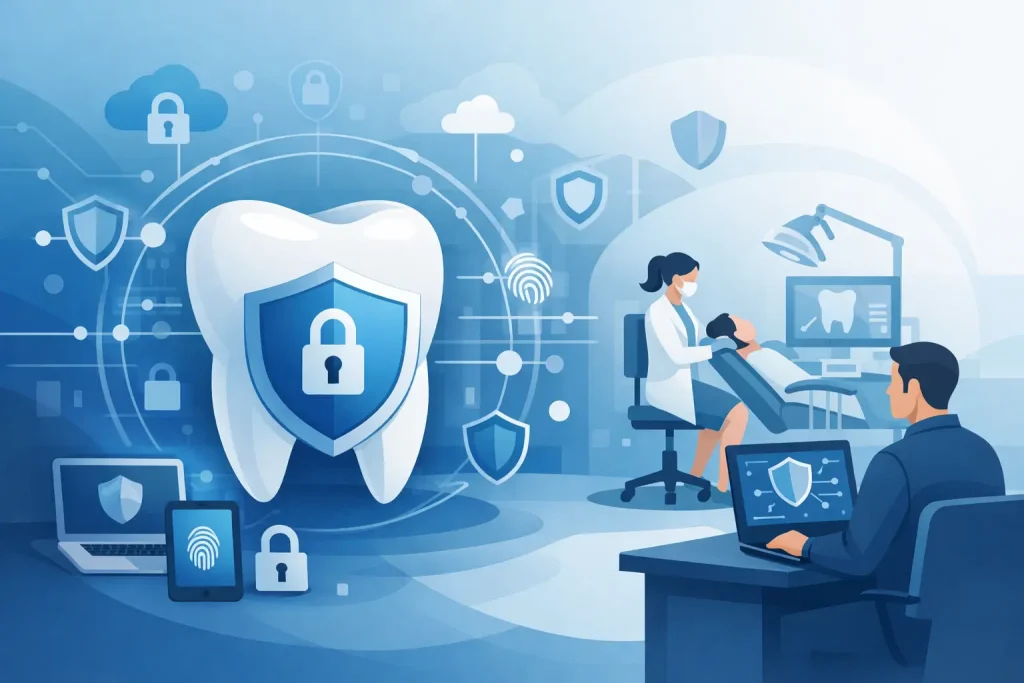
A locked surgery door means very little if the front desk PC is one bad click away from exposing patient records. Cyber security for dental practices: protecting patient data in 2026 is not a niche IT concern anymore. It sits alongside safeguarding, infection control and business continuity as part of running a safe, reliable practice.
Dental clinics hold exactly the kind of information criminals want – names, addresses, dates of birth, payment details, medical histories, treatment plans and often copies of correspondence or identity documents. That makes even a small practice a worthwhile target. The pressure point is not just the value of the data itself, but the disruption caused when systems go down and appointments, imaging, billing and records access are suddenly affected.
Why cyber security for dental practices matters more in 2026
The risk profile for practices has changed. More teams now work across cloud-based platforms, digital imaging systems, online booking tools and remote access setups. That improves flexibility, but each added system creates another point that needs managing properly.
At the same time, attackers are getting better at targeting smaller organisations with convincing phishing emails, fake invoices, password theft and ransomware. They do not only go after big hospital trusts. In many cases, smaller practices are seen as easier targets because they may have fewer internal IT resources and older equipment still in use.
There is also a practical reality here. A cyber incident in a dental setting is rarely just an admin problem. If clinicians cannot access records, x-rays, consent forms or schedules, patient care slows down very quickly. Even a short outage can mean cancelled appointments, lost revenue, stressed staff and damage to trust.
The main risks facing dental practices
Most cyber incidents in dental environments start with ordinary day-to-day activity. A receptionist opens a convincing email attachment. A team member reuses a weak password. A surgery PC misses security updates because replacing it keeps getting pushed back. A third-party supplier has remote access that nobody has reviewed for years.
Phishing remains one of the biggest threats because it relies on human behaviour, not just technical weaknesses. Messages can look like courier updates, NHS-related notices, invoices or software renewal reminders. When staff are busy, it only takes one rushed moment.
Ransomware is another serious concern. If patient data and practice management systems become encrypted, the issue is not only whether files can be restored. It is whether the practice can keep operating safely while systems are unavailable. Good backups help, but only if they are secure, tested and separate enough not to be affected too.
Then there is the quieter risk of poor access control. Many practices still have shared logins, overly broad permissions or former staff accounts that remain active. That may feel convenient in a busy clinic, but it makes accountability harder and increases the chance of accidental or deliberate misuse.
Protecting patient data starts with the basics
The strongest approach is rarely the flashiest one. In most dental practices, the biggest gains come from tightening the fundamentals and applying them consistently.
Strong passwords matter, but password policies on their own are not enough. Multi-factor authentication should be in place wherever possible, especially for email, cloud systems, remote access and admin accounts. If a password is stolen, that extra step can stop a routine compromise turning into a full breach.
Devices also need proper patching. That includes reception PCs, surgery workstations, laptops, servers, firewalls and any supported software connected to patient data. Delaying updates can sometimes seem sensible when the team worries about downtime, but leaving known vulnerabilities open is a bigger risk. The answer is not patch everything blindly in the middle of the day. It is to have a managed process that schedules updates with minimal disruption.
Backups are equally important, but this is where many practices overestimate their resilience. A backup is only useful if it is recent, recoverable and tested. If restoring data takes days, or if the backup has also been encrypted, the practice still has a major problem.
Staff awareness is now a clinical operations issue
Cyber security training often gets treated like a once-a-year admin task. In reality, it works best when it becomes part of how the practice operates.
Reception teams, treatment coordinators, clinicians and managers all interact with data differently, so the risks are not identical. Front-of-house staff may see more phishing attempts and payment scams. Managers may be targeted with invoice fraud or account reset requests. Clinicians may access systems across several rooms and devices during a busy day, which raises the chance of shortcuts.
Training should be practical and repeatable. Staff need to know how to spot suspicious emails, what to do if a device behaves oddly, how to report concerns quickly and why shared credentials create problems. The goal is not to make people anxious. It is to give them clear habits they can follow under pressure.
That matters because in a dental practice, speed counts. If something looks wrong, early reporting can be the difference between a contained issue and a full operational outage.
Cyber security for dental practices and compliance
Protecting patient data is not only about avoiding disruption. It is also tied to legal and professional responsibilities. Practices handling personal and health-related information need to be confident that data is stored, accessed and shared appropriately.
In practical terms, that means knowing where patient data lives, who can reach it, how it is protected and how incidents would be handled. It also means keeping systems and policies aligned with the way the practice actually works. There is no value in having a written process that bears no resemblance to what happens at reception on a Monday morning.
This is where specialist support matters. Dental environments use a mix of clinical software, imaging tools, finance processes and communications systems that do not always fit neatly into generic IT advice. A security measure that looks sensible on paper can still cause real issues if it slows clinicians down too much or interrupts patient flow. The right setup balances protection with usability.
What good cyber security looks like in a dental practice
A well-protected practice does not rely on one product or one policy. It has layers. Email filtering reduces malicious messages reaching staff. Endpoint protection helps detect suspicious activity on devices. Multi-factor authentication makes stolen credentials less useful. Backups protect recovery. Access controls limit who can see and change sensitive information.
Network security matters too, especially where practices run separate systems for admin, clinical work, imaging and guest Wi-Fi. Keeping those environments sensibly segmented can limit the spread of a problem. Not every practice needs the same design, but almost every practice benefits from reviewing what is connected to what.
Monitoring is another area where smaller businesses sometimes fall short. If nobody is watching for unusual logins, failed access attempts or system alerts, a problem can sit unnoticed for longer than it should. Outsourced support can make a real difference here because it brings oversight that a busy internal team simply may not have time to provide.
A sensible plan for 2026
For practices looking for a fully managed solution, our
Dental IT Support service
provides proactive monitoring, cyber security, Microsoft 365 management and specialist support for dental software platforms.
If your practice is thinking about where to focus next, start with visibility. Know your systems, your users, your devices and your data. From there, prioritise the issues most likely to affect patient care and day-to-day operations.
For some practices, the immediate gap is ageing hardware. For others, it is weak remote access, poor password discipline or untested backups. It depends on the current setup, the software in use and how many locations or users need access. There is no single checklist that solves everything, but there is always a sensible order of work.
That is why a calm, managed approach tends to work best. Fix the obvious weaknesses first. Reduce unnecessary access. Improve backup confidence. Train staff in a way that fits the real world. Then keep reviewing. Cyber risk is not static, and neither is a dental practice.
For clinics that want to focus on patients rather than policing every device and login, having an IT partner with dental sector experience can remove a lot of pressure. Terahost supports practices with practical security measures that protect patient data without getting in the way of the working day.
Patient trust is built in small moments – at reception, in the surgery and in every record handled behind the scenes. Good cyber security supports all of it, quietly and consistently, so your team can get on with the job knowing the essentials are covered.
Need Specialist Dental IT Support?
Terahost supports dental practices across Manchester, Stockport and the North West, including SOE Exact, Dentally, iSmile, Carestream and Microsoft 365 environments.