
How to Protect Business from Phishing
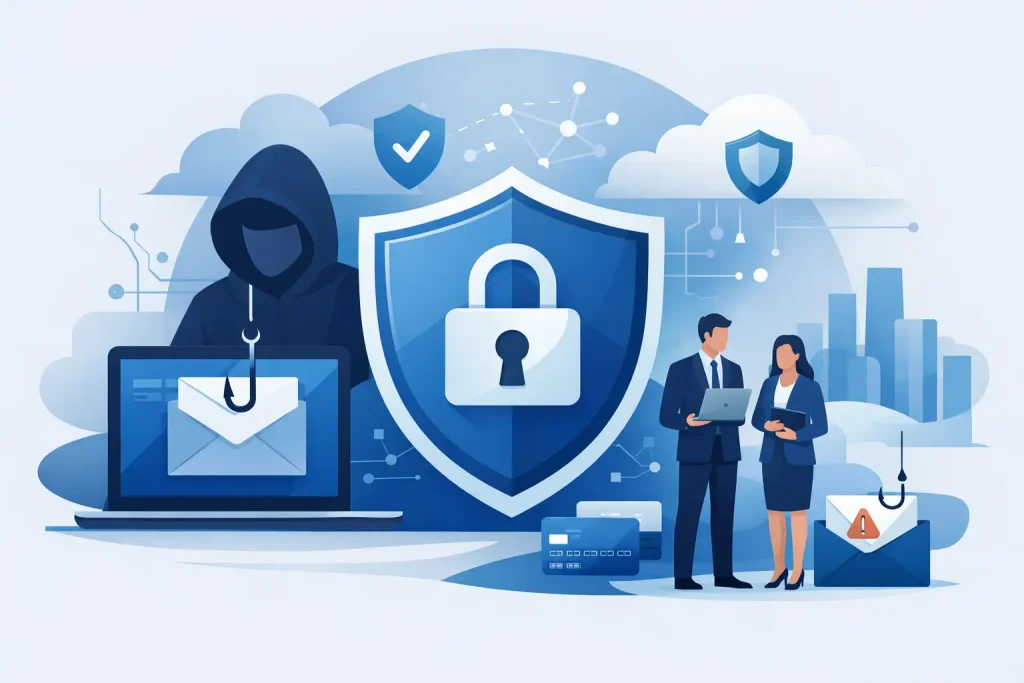
A phishing attack rarely starts with flashing warnings or obvious signs of trouble. More often, it looks like a normal invoice, a message from a senior colleague, or an email asking someone to log into Microsoft 365. That is exactly why so many businesses ask how to protect business from phishing before it turns into downtime, data loss or a costly payment mistake.
For small and mid-sized organisations, phishing is not just an IT problem. It is a business continuity problem. One clicked link can lead to stolen passwords, locked accounts, fraudulent bank transfers or access to sensitive customer data. If you run a busy office, practice or multi-site team, the answer is not one product or one training session. It is a layered approach that reduces risk without slowing your people down.
How to protect business from phishing in practice
The most effective protection comes from combining people, technology and process. If one layer fails, another should still catch the issue. That matters because phishing emails are getting more convincing, especially when attackers use familiar branding, copied signatures and well-timed requests.
Start with your users. Staff are usually the first line of defence, but they should not be expected to spot every threat with no support around them. Good phishing awareness training works best when it is short, relevant and repeated over time. Annual tick-box sessions are not enough. Your team needs practical examples of what suspicious emails look like, what to do when something feels off, and how to report concerns quickly without worrying about blame.
That reporting culture matters more than many businesses realise. If someone clicks a link and says nothing for hours, a small incident can become a serious one. If they report it straight away, your IT support team has a much better chance of containing the damage.
Train for real-world behaviour, not theory
People are busy. Reception teams, finance staff, clinicians, operations managers and directors all work under time pressure. Phishing emails are designed to exploit that. They create urgency, use authority or catch someone when they are distracted.
Training should reflect those real working conditions. Show staff the kinds of phishing attempts they are likely to receive, such as fake parcel notifications, password expiry alerts, supplier payment changes or messages that appear to come from senior management. Finance and payroll teams usually need extra attention because they are frequent targets for invoice fraud and impersonation scams.
There is a trade-off here. Too many warnings can create alert fatigue, where people begin to ignore security advice because everything feels suspicious. Training needs to be regular, but practical and proportionate.
Secure the email environment before messages reach staff
If you want to know how to protect business from phishing effectively, start by reducing the number of malicious emails that ever reach an inbox. This is where technical controls make a real difference.
Email filtering should be configured to detect known malicious links, dangerous attachments, spoofed domains and unusual sending patterns. Domain protection is also important. Attackers often send emails that look as though they have come from your own business or from a trusted supplier. Proper email authentication standards help reduce that risk and make impersonation harder.
Attachment and link scanning can add another layer by checking content before a user opens it. Some services also rewrite links so they can be analysed at the point of click, which is useful because some phishing sites are activated only after the email has been delivered.
No filter catches everything, and no business wants legitimate messages blocked constantly. That is where tuning matters. Security tools should be reviewed and adjusted around how your business actually operates, not left on default settings and forgotten.
Use multi-factor authentication wherever it counts
Passwords are still a common point of failure. If a phishing email steals login details, multi-factor authentication can stop that password being enough on its own.
For most businesses, MFA should be in place for Microsoft 365, remote access, cloud applications, finance systems and administrator accounts as a minimum. If staff can access email on mobile devices, those routes should be protected too. App-based authentication is generally stronger than text messages, although the right option depends on your users, their devices and how much support you can provide.
MFA is not perfect. Attackers can still try to trick users into approving login prompts, and some more advanced phishing kits are designed to work around weak implementations. Even so, it remains one of the simplest and most effective controls available.
Limit the damage if an account is compromised
A smart phishing defence assumes that, at some point, someone may click. The question then becomes how much access an attacker gets afterwards.
This is where access control matters. Staff should only have the permissions they need for their role. Shared admin accounts, excessive privileges and weak joiner-leaver processes all make phishing incidents worse. If one compromised mailbox gives access to finance systems, shared drives and sensitive records, the fallout is much bigger than it needs to be.
Conditional access policies can also help by restricting logins based on location, device health or unusual behaviour. If a user normally signs in from Manchester and suddenly there is an attempt from another country, that should trigger scrutiny. These controls are especially useful in remote and hybrid environments, where traditional office-based security boundaries no longer apply.
For dental practices and healthcare settings, this becomes even more important. A compromised account is not just an inconvenience. It can affect patient communication, appointment systems, business operations and data protection obligations. Security has to support continuity, not just compliance on paper.
Keep devices and software properly managed
Phishing often aims to do more than steal passwords. It may try to deliver malware, install remote access tools or exploit unpatched software once a user interacts with a message.
That is why endpoint protection, patch management and device management are part of the same conversation. Laptops, desktops and mobiles should be updated promptly, protected by modern security software and enrolled in central management where possible. If a malicious file lands on a device, you want the best chance of blocking it before it spreads.
This is another area where consistency matters. One unmanaged laptop or one former employee account left active can become the weak point that bypasses otherwise sensible security.
Build simple checks into high-risk processes
Some phishing attacks are not trying to infect systems at all. They are trying to trick people into sending money or sharing confidential information. Technical controls help, but process controls are often what prevent the loss.
Any request to change bank details, release payments, buy vouchers or share sensitive records should have a clear verification step outside email. That might mean a phone call to a known number, an approval workflow or dual authorisation for larger transactions. These checks should be easy enough to follow under pressure, or people will find ways around them.
The same principle applies to internal requests. If an email appears to come from a director asking for an urgent payment, staff should know exactly how to verify it. Senior leaders should support that culture rather than seeing checks as friction.
Have a response plan before you need one
Even well-protected businesses can still be targeted successfully. A calm, fast response makes a major difference.
Staff should know who to contact if they suspect phishing, whether they clicked a link, opened an attachment or entered a password. Your IT support team should be able to reset credentials, revoke sessions, isolate devices, review sign-in activity and assess whether any wider access occurred. The sooner that starts, the better.
A response plan should also cover communication. Who needs to know? When do managers get involved? Is there a need to assess reporting obligations? In regulated sectors, those decisions may need to happen quickly.
For many organisations, this is where managed support earns its value. Having a partner that can take ownership, investigate promptly and guide the next steps reduces panic and shortens disruption. That is especially important when internal teams are small or non-technical.
Phishing protection is an ongoing job
Threats change quickly. The fake emails your team saw six months ago may look very different now. Attackers are learning how businesses communicate and adapting their approach, especially around cloud platforms, supplier relationships and executive impersonation.
That means phishing protection should be reviewed regularly. Training content needs refreshing. Email security policies need tuning. MFA coverage should be checked. Access rights should be tightened as roles change. Incident reviews should feed back into prevention, so each near miss improves your position.
If that feels like a lot to manage, it often is. Most growing businesses do not need more complexity. They need clear controls, sensible support and someone keeping watch in the background. When security is set up properly, your team can focus on their work instead of second-guessing every email.
If you are deciding how to strengthen your defences, start with the basics and make them consistent. That is usually where the biggest reduction in risk happens, and it gives your business a stronger footing for everything that comes next.
Related Resources
- Cyber Security for Small Business UK
- How to Prevent Phishing Attacks at Work
- Managed Firewall for Small Business
Need help protecting your business? Explore our
Cyber Security Services.