
How to Prevent Phishing Attacks at Work
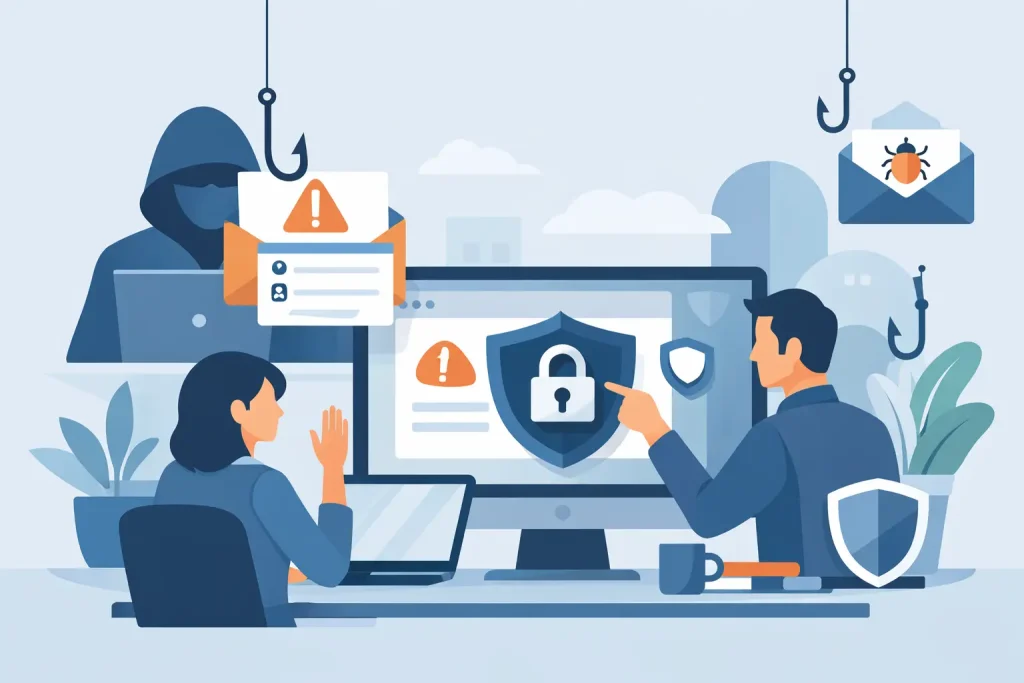
A single phishing email can look harmless right up to the moment it locks staff out of systems, redirects a supplier payment or exposes patient and client data. If you are looking at how to prevent phishing attacks, the starting point is simple: do not treat it as just an email problem. It is a business risk that affects people, processes and technology at the same time.
For small and mid-sized businesses, that matters because phishing does not usually target the biggest company in the room. It targets the easiest route in. A busy office manager approving invoices, a receptionist opening attachments, a practice manager juggling appointments and suppliers, or a remote employee working quickly on a mobile can all become the entry point.
Why phishing still works
Phishing works because it is designed to feel routine. Attackers copy trusted brands, imitate senior staff, spoof suppliers and create urgency. The message is rarely full of obvious spelling mistakes now. In many cases, it is polished, timely and convincing enough to catch out sensible people on a busy day.
That is why the answer to how to prevent phishing attacks is not just more warning messages or a one-off training session. Staff need clear habits, your systems need the right controls, and your business needs a response plan for when something suspicious does get through.
How to prevent phishing attacks with practical controls
The strongest protection comes from layering defences. If one control fails, another should still catch the issue before damage is done.
Start with staff awareness, but keep it practical
Most phishing guidance falls down because it is too vague. Telling people to be careful is not enough. They need specific signs to look for and a simple route for reporting anything suspicious.
Training should cover the patterns staff actually see in day-to-day work: fake Microsoft sign-in prompts, messages claiming a mailbox is full, supplier bank detail changes, parcel delivery notices, shared document links and urgent requests from directors. In healthcare and dental settings, phishing can also imitate software providers, NHS-related contacts or finance messages linked to equipment, labs or patient systems.
Keep the message consistent. Slow down before clicking. Check the sender address properly. Be wary of urgency. Do not trust a link just because the branding looks right. If a request involves money, passwords or sensitive data, verify it through a separate channel.
Short, regular refreshers tend to work better than a yearly lecture. People remember real examples far more easily than policy wording.
Use multi-factor authentication wherever it matters
If credentials are stolen, multi-factor authentication can stop an attacker from getting further. It is one of the most effective controls you can put in place, especially for Microsoft 365, remote access, cloud platforms, finance systems and any account that holds sensitive business data.
That said, it is not a cure-all. Some phishing attacks now try to capture authentication codes or fatigue users with repeated prompts. So the quality of setup matters. Use app-based authentication or passkeys where possible, restrict high-risk logins, and train staff never to approve a prompt they did not initiate.
Tighten email filtering and domain protection
A decent email security setup should catch a large share of phishing messages before users ever see them. Advanced filtering can flag spoofed senders, block dangerous attachments, analyse links and quarantine suspicious messages.
Domain protection also matters. Standards such as SPF, DKIM and DMARC help reduce the chance of criminals sending messages that appear to come from your own domain. They do not stop every scam, but they make impersonation harder and improve your ability to identify suspicious traffic.
For many businesses, this is an area where a few technical changes make a noticeable difference very quickly.
The policies that stop expensive mistakes
Technology helps, but many phishing incidents turn into serious losses because there was no clear process around payments, data sharing or password resets.
Verify financial requests out of band
A fake invoice or bank detail change can be far more damaging than a compromised inbox. Any request involving payments, account details or payroll changes should be checked using a known telephone number or an established contact, not the details included in the email itself.
This is especially important for firms with busy accounts teams or decentralised approval. Attackers rely on rushed decisions and familiar-looking requests. A basic callback procedure may feel old-fashioned, but it remains one of the best controls available.
Limit access so one mistake does not expose everything
If every user has broad access to shared files, finance systems or admin functions, a single compromised account can cause major disruption. Good access control keeps users limited to what they genuinely need.
This is where phishing prevention overlaps with general IT hygiene. Separate admin accounts from everyday accounts, review permissions regularly and remove access promptly when staff leave or change roles. The less an attacker can reach, the less damage they can do.
Keep devices and software up to date
Some phishing emails aim to steal passwords. Others try to install malicious software through attachments, browser prompts or infected downloads. Patch management reduces the odds of those methods succeeding.
Operating systems, browsers, antivirus tools, Microsoft 365 apps, line-of-business platforms and network devices all need regular updates. In smaller organisations, this often slips because nobody owns the task consistently. That gap creates opportunities attackers are happy to use.
How to prevent phishing attacks in hybrid and remote teams
Phishing risk usually increases when people work across home, office and mobile environments. Staff are moving faster, switching devices and dealing with more notifications. That makes spoofed logins and fake collaboration messages easier to miss.
The answer is not to make remote work harder. It is to make secure working the default. Managed devices, enforced updates, strong sign-in policies, secure remote access and clear reporting routes all help. So does reducing reliance on personal devices for business-critical systems.
For businesses with satellite sites or clinical environments, consistency matters. The same protections should apply whether somebody is at the front desk, in a surgery, at home or travelling between locations.
What to do when someone clicks
Even well-run businesses will eventually have a near miss. The difference between a minor incident and a serious one often comes down to speed.
Staff should know exactly what to do if they click a suspicious link, open an attachment or enter credentials into a page that does not feel right. That usually means reporting it immediately, disconnecting from the network if instructed, changing passwords and allowing IT to investigate before normal work resumes.
The worst outcome is silence. People often delay reporting because they are embarrassed or unsure whether it matters. Create a culture where reporting quickly is seen as the right action, not a confession.
If your business has no incident response process, this is worth fixing now. It does not need to be overly complicated. It just needs to be clear, rehearsed and owned.
A sensible phishing defence looks different in every business
There is no single checklist that fits every organisation. A ten-person office with basic cloud systems will not need the same controls as a multi-site dental group handling patient records, imaging systems and payment workflows. The principle is the same, though. Your security should reflect your real-world risks, not a generic template.
That is why phishing prevention works best when it is tied to the way your business actually operates. Who approves payments? Who handles sensitive information? Which systems are business-critical? Where do staff work? Which suppliers and third parties interact with your team most often?
Answer those questions and the priorities become clearer. In some firms, training and payment verification will reduce most of the risk. In others, stronger identity controls, device management and better monitoring will have a bigger impact.
For businesses that do not have an in-house security team, outside support can make this much easier to manage. A provider such as Terahost can help put the right controls in place without turning day-to-day IT into a burden for your staff.
Phishing is unlikely to disappear, and attackers will keep adapting. The good news is that most successful attacks still rely on familiar gaps: rushed decisions, weak sign-in protection, unclear processes and inconsistent support. Close those gaps steadily, and you give your team a much better chance of spotting the trap before it becomes a business problem.
Related Resources
- Cyber Security for Small Business UK
- How to Protect Your Business from Phishing
- Managed Firewall for Small Business
Need help protecting your business? Explore our
Cyber Security Services.